Deep-dive a topic with Researcher
Hand a hard question to the Researcher agent and get back a cited, structured brief that pulls from both your own files and the web — the work of an afternoon, in minutes.
Stage: First-Party Agents · For: End user, Manager, Maker · Level: Starter · Time: 10 min
Status: Generally available — verify current availability on the Agents in Microsoft 365 roster.
When to use this
You need to get smart on something fast — a competitor, a technology, a market shift — and a one-line chat answer won't cut it. Researcher is a prebuilt first-party agent designed for exactly this: it runs a multi-step investigation, reasons across sources, and assembles a brief with citations. You're not prompting once and editing; you're delegating the whole research job.
This is a great second stop after the Facilitator flagship — it shows what a reasoning agent does that a single prompt can't.
What you'll need
- M365 Copilot license with access to the Researcher agent (Agent Store / left rail in Copilot)
- A real topic to investigate — sharper is better ("our top competitor's pricing moves," not "the market")
- Optionally, your own documents for it to ground on (a strategy doc, a deck, last quarter's notes)
Try it now — the prompt
Open Researcher and give it a structured brief, not a vague question:
@Researcher build me a brief on [topic]. Cover: the current state, the key players,
and what's changed in the last 6 months. Pull from both my internal documents and
the web, cite every source, and end with 3 implications for my team.
Why this works: Researcher rewards structure. Naming the sections (state / players / what changed), the sources (internal and web), the citation requirement, and a "so what" (3 implications) turns an open-ended ask into a brief you can actually use — and makes its work easy to verify.
Step by step
- Open Researcher. Find it in the Agent Store or the agents rail inside Microsoft 365 Copilot, and start a conversation.
- Paste the prompt with your topic. Researcher plans the work, then gathers and reasons across your files and the web — and shows its steps as it goes, so you can follow the reasoning.
- Read the cited brief and spot-check. Open a citation or two and confirm the source actually says what the brief claims. This is the habit that makes agent output trustworthy.
- Push deeper in plain language: Researcher reruns just what's needed and updates the brief.
Screenshots
Captured live in Microsoft 365 Copilot with the Researcher agent. The product UI moves fast — if what you see differs, trust the numbered steps above, which we keep current.
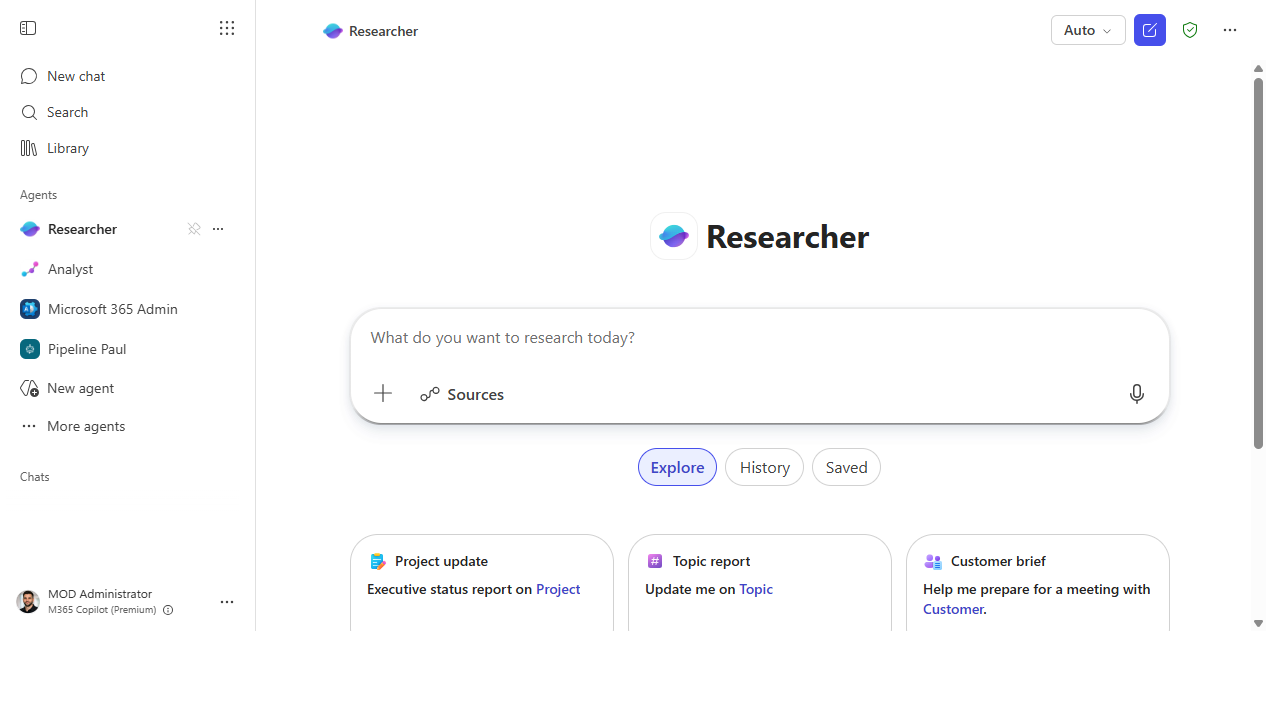 Open Researcher. Start a conversation with the prebuilt Researcher agent from the agents rail.
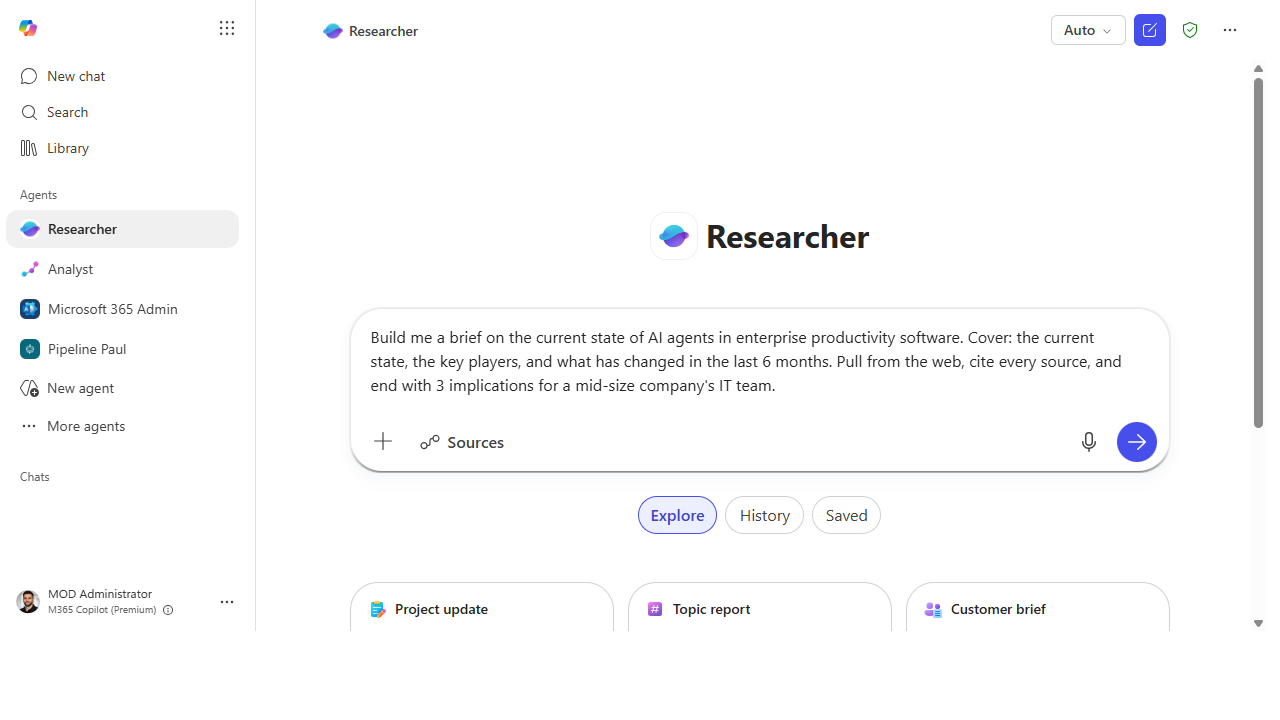 Give it a structured brief. Name the sections, the sources, the citation requirement, and a "so what."
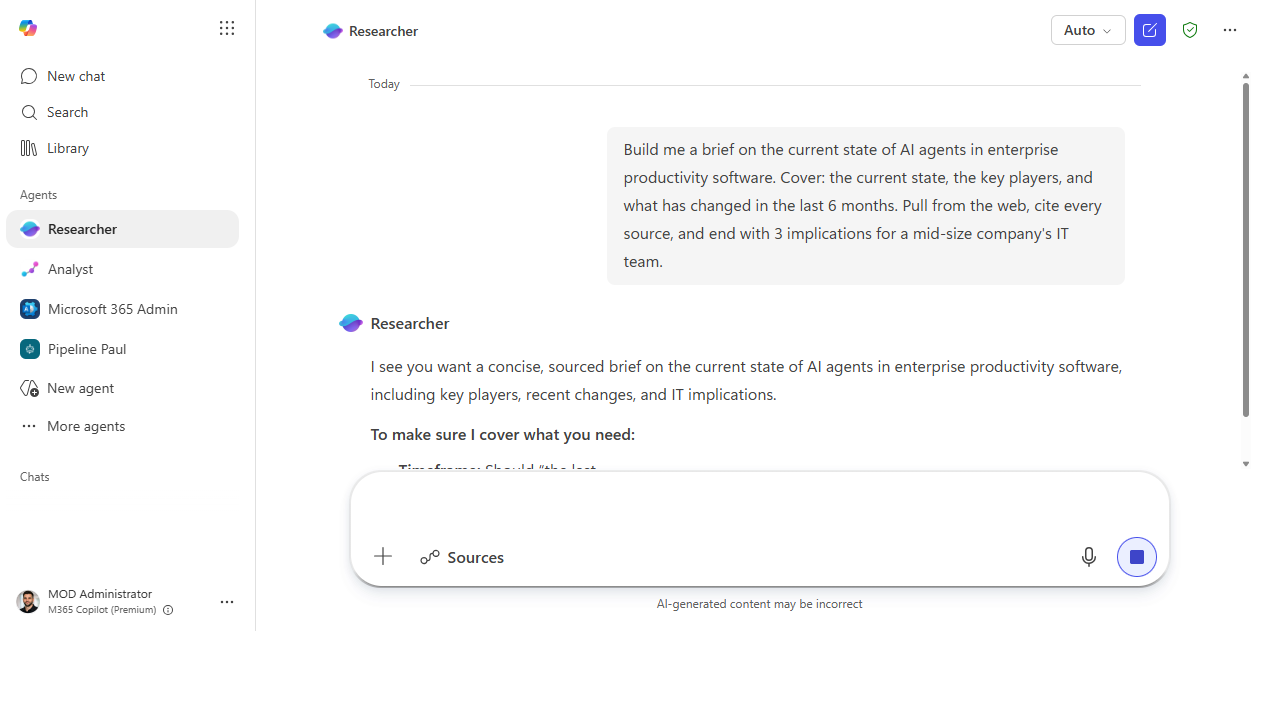 It scopes before it runs. Researcher asks about timeframe, scope, and depth so the brief lands on target.
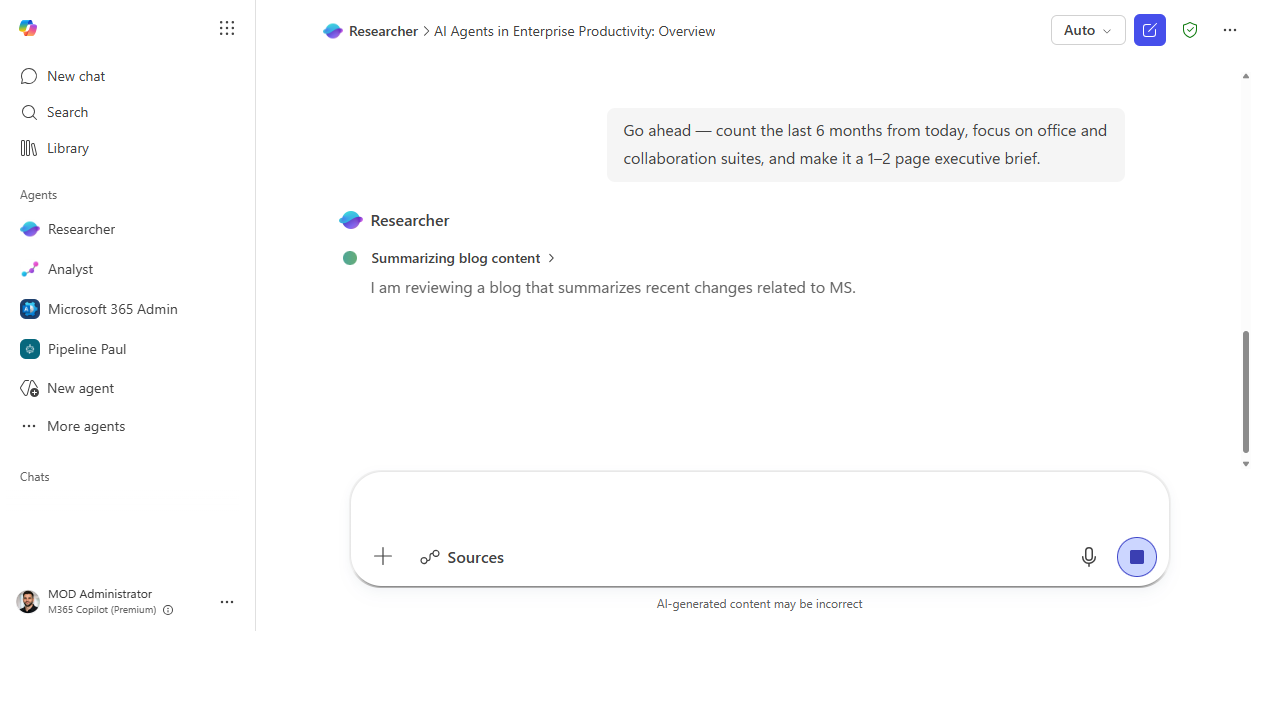 Watch it reason. Researcher plans, searches the web and your files, and shows each step as it works.
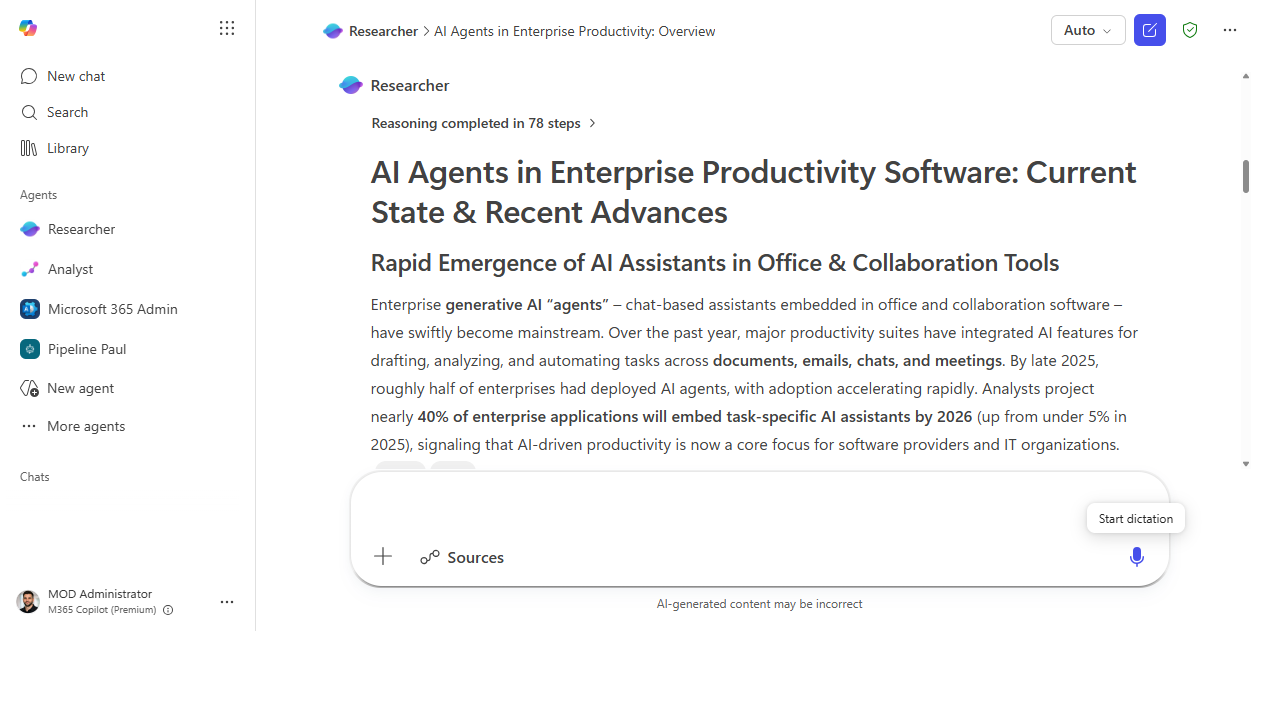 A brief you can verify. It returns a structured, cited brief — here after 78 reasoning steps — ready to spot-check.
Make it better
A first brief is a starting point — steer it like an analyst on your team: - Ground it on your own material. "Use the attached strategy doc as the primary source and check the web only to fill gaps." - Reshape the output. Ask for a one-slide summary, an exec email, or a comparison table. - Hand the numbers to Analyst. Researcher frames the story; the Analyst agent crunches the data. Chaining the two prebuilt agents is the real first-party power move.
📚 Learn more. The Agents in Microsoft 365 Adoption Hub describes Researcher and the other prebuilt agents in plain language, and Nicole Herskowitz's (CVP, M365 Copilot) blog on enabling human-agent teams explains how these agents work alongside you.
Watch out for
- Citations are a feature, not a guarantee. Researcher cites — your job is to confirm the citation supports the claim. Spot-check before you forward anything.
- It's only as current as its sources. "Last 6 months" depends on what's indexed and reachable. Treat fast-moving topics as a strong first draft, not the final word.
- Sharper topic, sharper brief. A broad prompt gives a shallow brief. Narrow the question and the depth follows.
Where this leads (the ramp)
Once you trust an agent to run a multi-step job — plan, gather, synthesize — the next instinct is to hand off a multi-step task across your tools, not just a research question. That's Stage 3 · Cowork: describe an outcome and let Copilot pull the inputs, do the work, and hand you a finished deliverable.
Related
- First-Party → Auto-recap every meeting with Facilitator — the Stage 2 flagship
- Analyst · Interpreter · Project Manager agents
- Stage 2 Resources: see
RESOURCES.md→ First-Party Agents
Thanks — glad it helped. Spotted something to improve anyway? Suggest it →
Sorry this didn't land. Tell us what broke → so we can fix that rung of the ramp.
Found an issue or want to suggest an improvement? Open a GitHub issue · Star on GitHub