Make the ROI case for your agent
A great agent that can't explain its value gets cut in the next budget review — build the ROI story in the language leadership funds, with numbers you can actually defend.
Stage: Copilot Studio · For: Manager, Champion · Level: Intermediate · Time: 15 min
Works on any harness — cost and coverage differ
This is a platform skill that applies whichever harness powers your agent. Keep one thing in mind: the standard and chat harnesses are covered by a Microsoft 365 Copilot license inside Microsoft 365 channels, while the GitHub Copilot harness bills Copilot Credits for all usage and a license never covers it. Compare the engines · estimate the net cost.
When to use this
You've built or sponsored an agent that's genuinely useful — and now someone's going to ask "what's it worth?" The honest answer isn't a vibe; it's a number you can stand behind. The ROI case is what turns a working agent into a funded program: time saved, work avoided, quality gained, told in the terms a budget owner cares about. Skip this and even a great agent lives on borrowed time.
This is the manager-and-champion job at the top of the ramp — the people who have to justify the investment, not just build it.
What you'll need
- M365 Copilot license (the agent itself lives in Copilot Studio; the case lives in a doc or deck)
- A live or piloted agent with some real usage — even a few weeks of data beats a projection
- The baseline: how the work was done before, and what it cost in time or headcount
Try it now — the prompt
Use Copilot to turn your usage and baseline into a defensible case:
Help me build the ROI case for this agent. Here's the before (how the task was
done, time per instance, volume) and the after (usage, time now). Calculate the
time saved, translate it to a cost figure, list the assumptions, and flag which
numbers are soft so I don't oversell it.
Why this works: it grounds the case in a real before-and-after, does the math explicitly, and — critically — asks Copilot to mark the soft numbers so you present a credible case, not an inflated one that collapses under the first hard question.
Step by step
- Establish the baseline honestly. What did this work cost before the agent — time per instance times volume? A credible "before" is the foundation of the whole case.
- Pull the real usage. Use actual adoption numbers, not hopes. Time saved on light usage is a smaller but believable number — and believable wins budget.
- Separate hard numbers from soft ones. Label what's measured versus estimated. Leadership trusts the case more when you're the one pointing out its limits.
- Frame it for the decision:
Screenshots
Captured live in Microsoft 365 Copilot (Work mode). The product UI moves fast — if what you see differs, trust the numbered steps above, which we keep current.
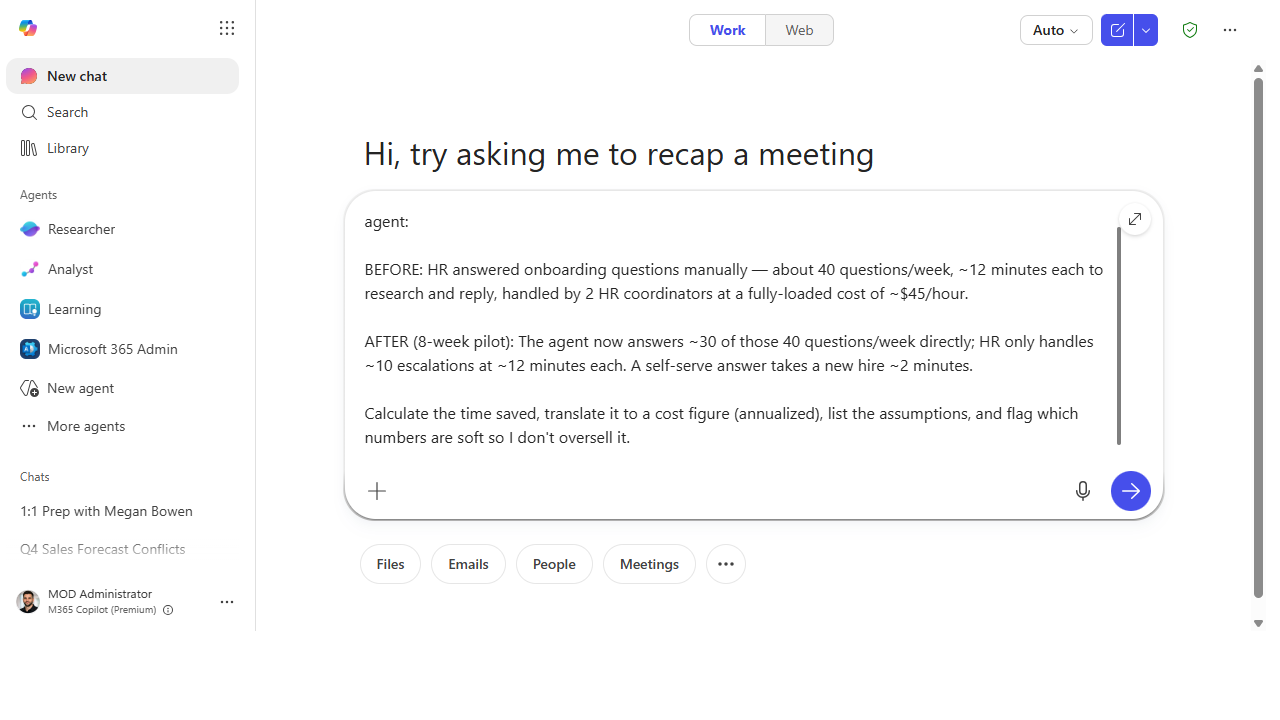 Give Copilot a real before-and-after — volumes, minutes per instance, and the fully-loaded rate — and ask it to do the math, not hand-wave.
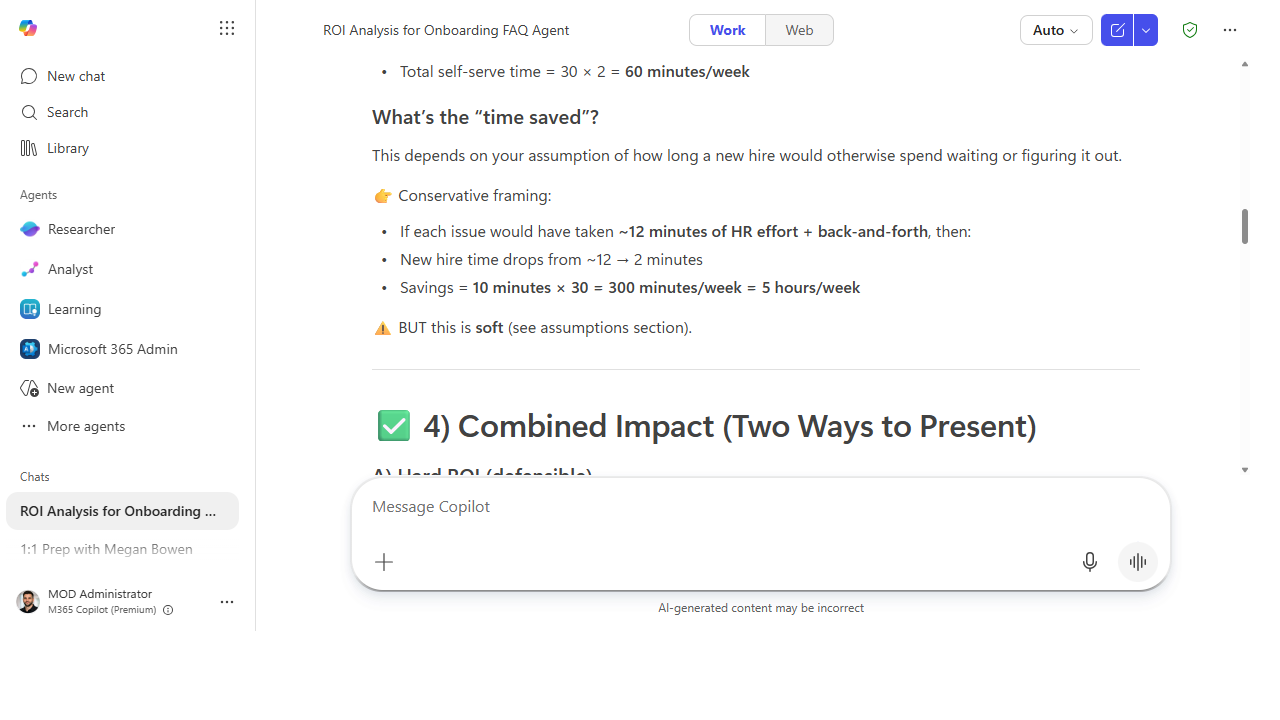 Copilot works the savings explicitly (here, ~5 hours/week) and — crucially — flags the soft numbers, so you present a case that survives the first hard question rather than an inflated one.
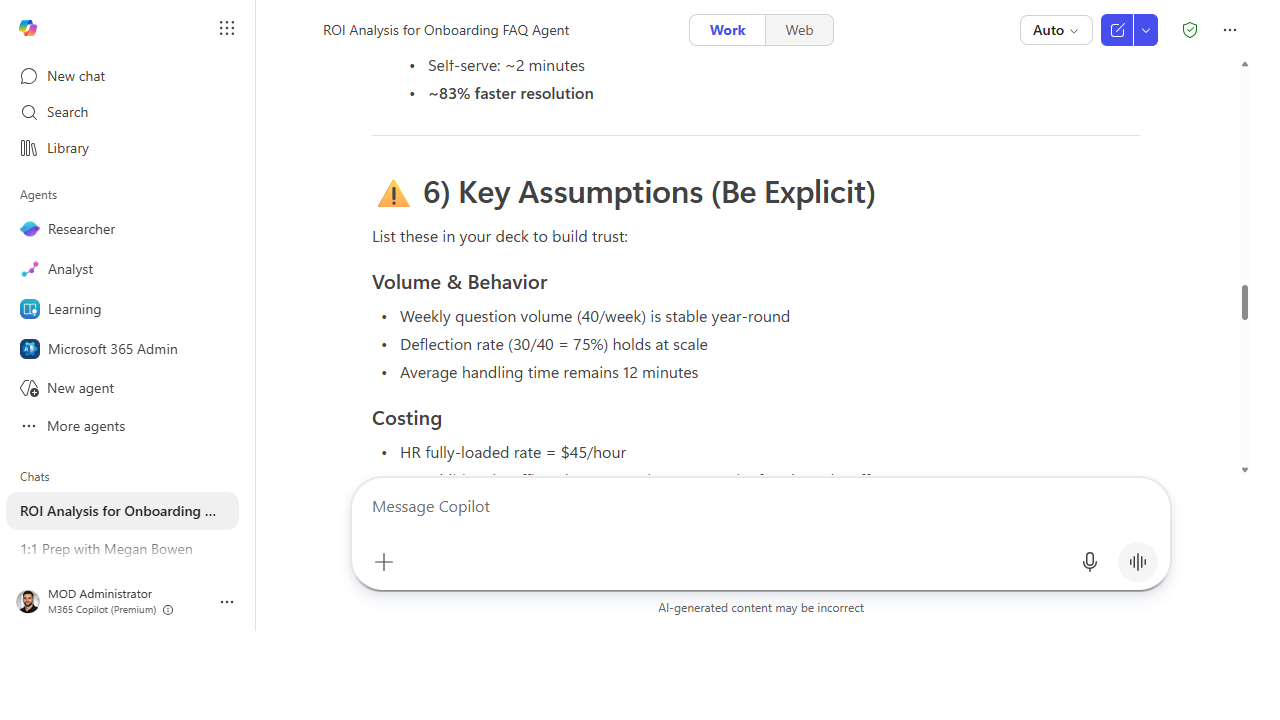 It lists the assumptions behind the number out loud, so the people approving the budget can see exactly what the case rests on.
Make it better
An ROI case is a living instrument: - Track it over time. A number that climbs as adoption grows is a far stronger story than a one-time snapshot. Re-run the case quarterly. - Add the quality dimension. Time saved is the easy number; fewer errors, faster response, better consistency are the ones that compound. Name them even when they're hard to quantify. - Tie it to the next ask. The best ROI case ends with "and here's what we'd fund next" — value demonstrated is the strongest argument for the next investment.
📚 Learn more. The Copilot Studio resources hub and the M365 Copilot resources hub collect Microsoft guidance on value measurement and the broader business case for Copilot adoption.
Watch out for
- Soft numbers oversold sink credibility. One inflated figure that a skeptic catches discredits the whole case. Under-claim and let the real number speak — it's usually strong enough.
- Adoption is the hidden variable. ROI is time-saved times usage. A great agent nobody uses has a weak case — which means the adoption work (starter prompts, announcements) is ROI work.
- Don't ignore the cost side. Build time, maintenance, and licensing are part of the equation. A net number you've actually netted out is more defensible than a gross "time saved" headline.
Where this leads (the ramp)
This closes the loop. You started by pasting a prompt into Copilot Chat; you've ended by funding and scaling production agents in Copilot Studio with a value case behind them. That's the full ramp — and the ROI story is what earns the room to climb it again, bigger, with the next set of agents.
Next: Revisit the Use-Case Catalog to pick the next agent worth building — now with a value lens.
Related
- Copilot Studio → Build your first Copilot Studio agent — the Stage 6 flagship
- Copilot Studio → Publish and govern your agent — the agent this case justifies
- Stage 6 Resources: see
RESOURCES.md→ Copilot Studio
Thanks — glad it helped. Spotted something to improve anyway? Suggest it →
Sorry this didn't land. Tell us what broke → so we can fix that rung of the ramp.
Found an issue or want to suggest an improvement? Open a GitHub issue · Star on GitHub