Draft an exec briefing from background materials
Walk into any exec meeting with sharp talking points — pulled from your docs, not written from scratch at 8 PM.
Stage: Copilot Chat · For: End user, Manager · Level: Starter · Time: 10 min · Saves: ~30 min vs. manual
When to use this
You have a meeting with a VP or C-suite stakeholder in two hours. There's a project brief, a deck, a few email threads — but no time to read them all, synthesize the key points, and draft talking points that lead with business outcomes.
This walkthrough turns a pile of materials into a punchy exec briefing in one prompt. The output is a short list of points you can use as notes, paste into a meeting invite, or share ahead of the call.
What you'll need
- M365 Copilot license — Copilot in Word, Teams, or Microsoft 365 Copilot Chat
- A document, deck, or email thread to ground the briefing on (upload or reference it)
- 2 minutes to review and sharpen the output
Try it now — the prompt
Open Copilot in Word (with your doc open) or in Microsoft 365 Copilot Chat and paste:
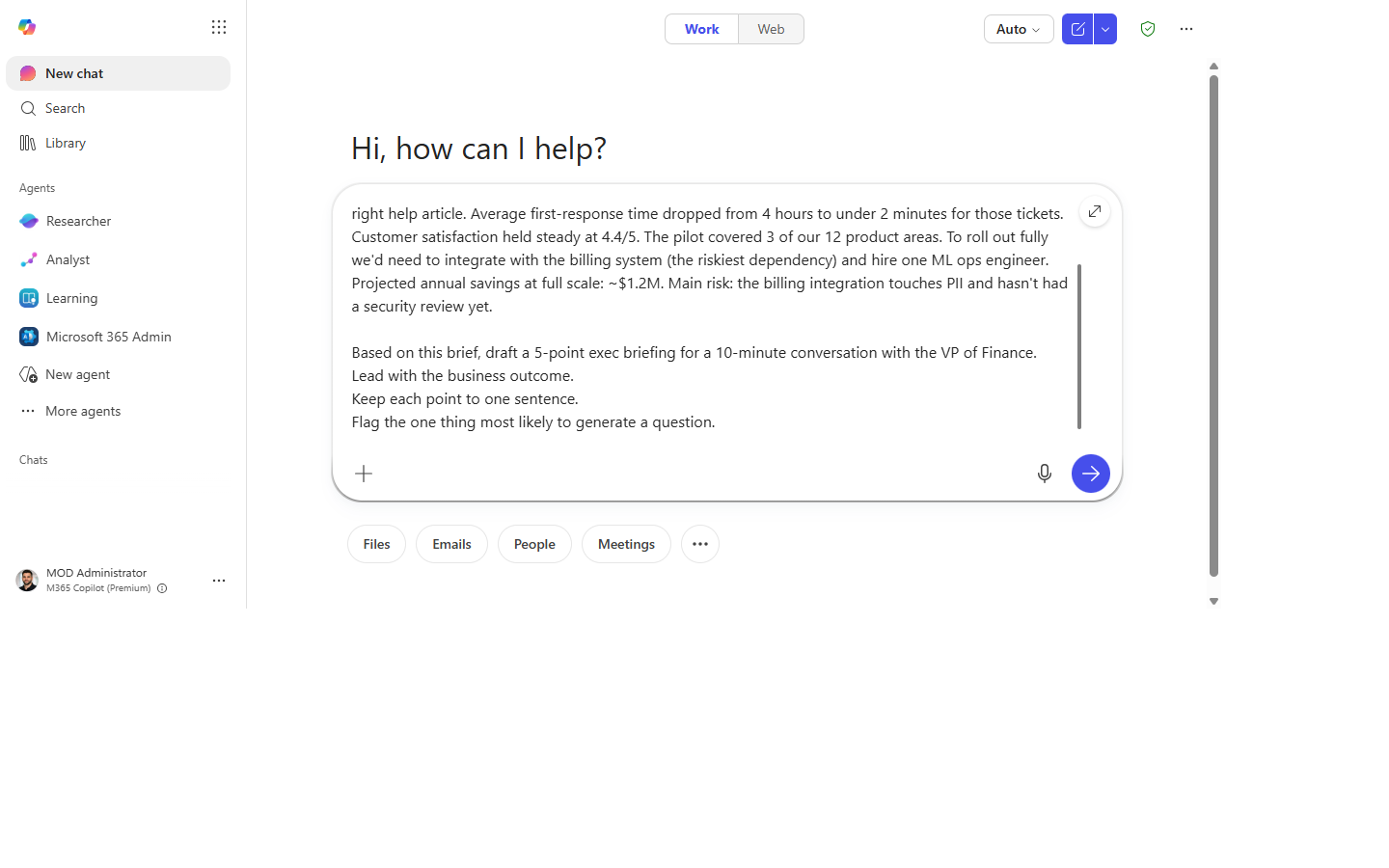
Based on [this document / the attached materials], draft a 5-point exec briefing for a
10-minute conversation with [audience / VP of Finance / the leadership team].
Lead with the business outcome.
Keep each point to one sentence.
Flag the one thing most likely to generate a question.
Why this prompt works: It constrains the length ("5 points"), defines the format ("one sentence each"), names the audience so Copilot can calibrate tone, and asks for the "likely question" — which forces Copilot to surface risk rather than just summarize positively.
Step by step
- Open the source material. In Word (with the doc open) or paste the content into Microsoft 365 Copilot Chat. Multiple sources — a doc and some emails — can all go into the chat.
- Paste the prompt with your audience filled in. If it's a large doc, reference it by name; if it's an email thread, paste the thread directly.
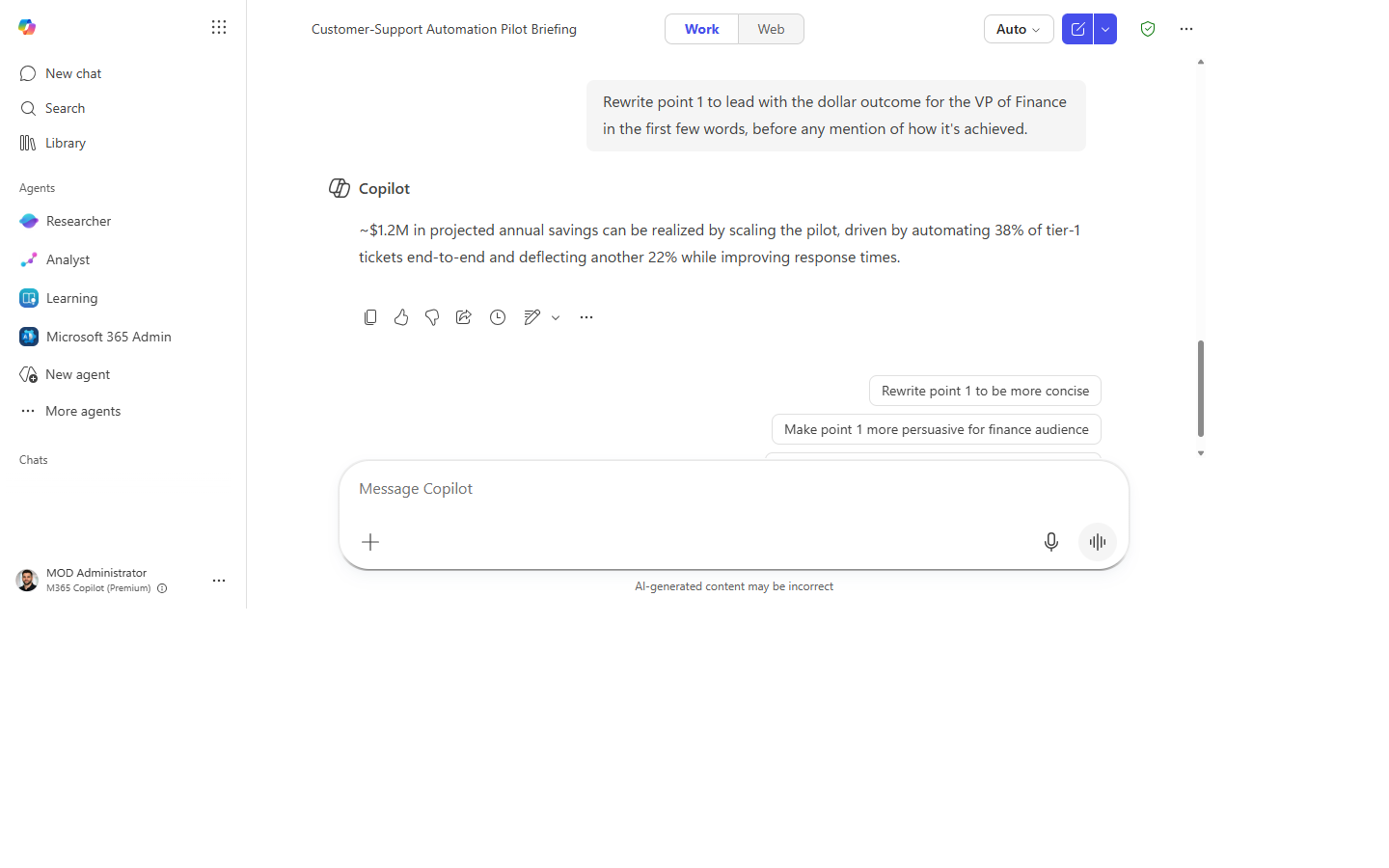
- Check the lead. Is point 1 a business outcome, or is it an activity? If it starts with "We are implementing…" ask:
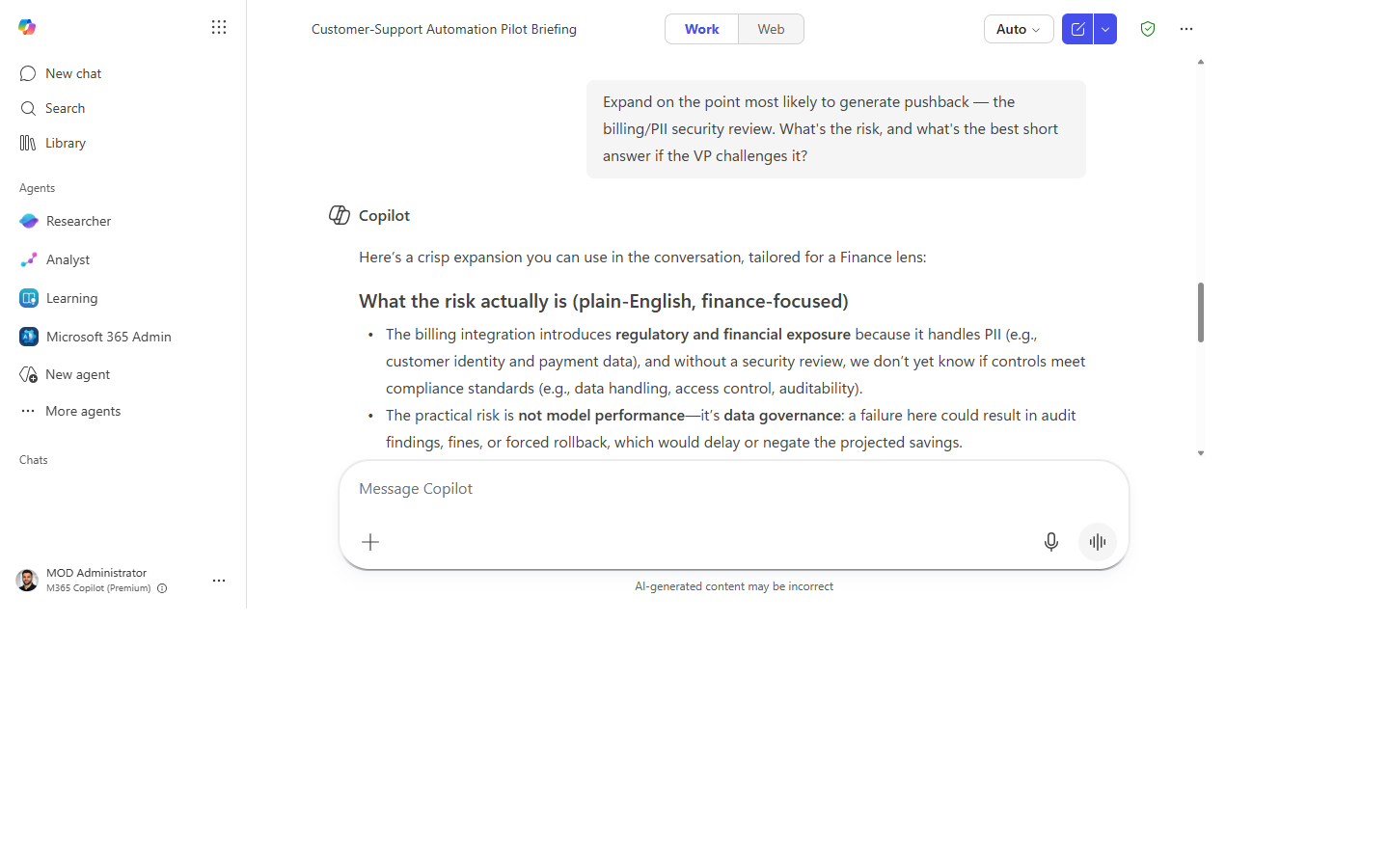
- Expand the "likely question":
- Copy to your meeting notes or invite. A 5-point briefing in the calendar invite body is all the prep most attendees need.
Screenshots
Captured live in Microsoft 365 Copilot Chat (Work mode). The product UI moves fast — if what you see differs, trust the numbered steps above, which we keep current.
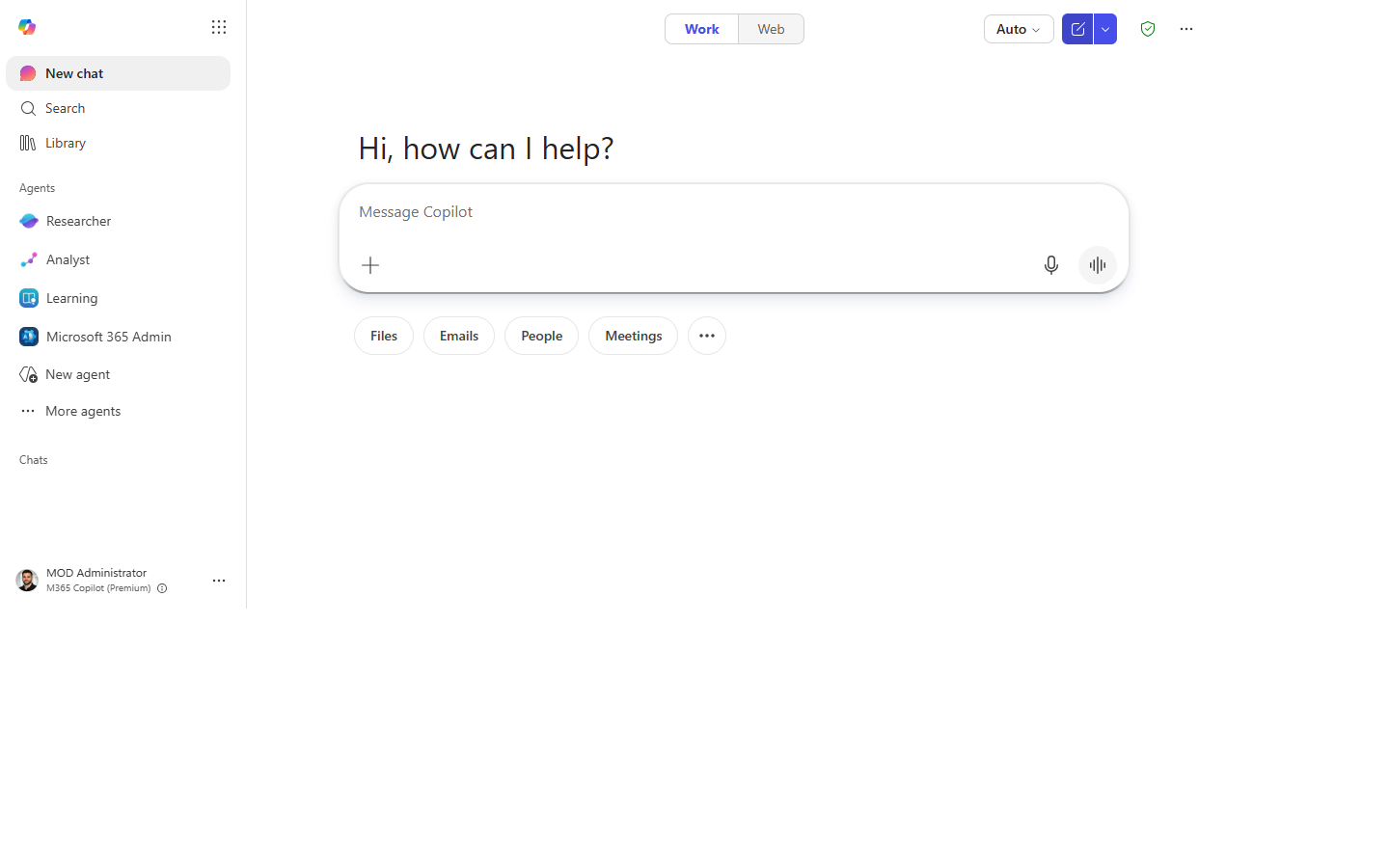
1. Source material ready. Copilot Chat open with the background doc or emails pasted in.
2. Prompt entered. The exec-briefing prompt typed in with the audience filled in.
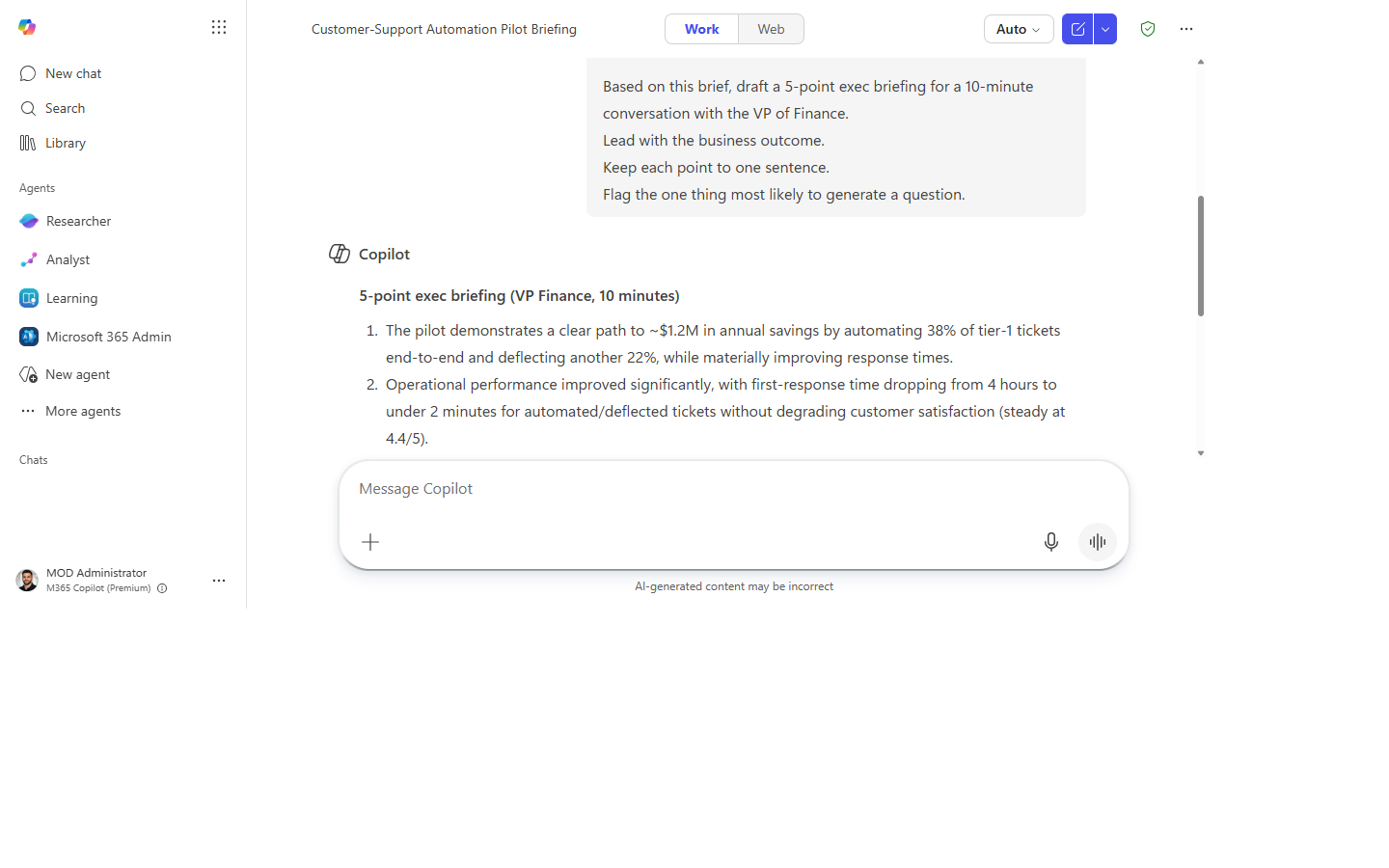
3. The 5-point briefing. Each point one sentence, leading with outcomes, with the likely question flagged.
4. Lead rewritten. Point 1 rewritten to lead with the business outcome, not the activity.
5. Likely question expanded. The point most likely to draw pushback, with the risk and a short answer.
Make it better
- Tighter output: add
"Each point max 20 words."to the prompt. - Two-sided view: add
"Include one 'concern' bullet — something a skeptic might raise." - From a deck: open the PowerPoint in Copilot — it reads slide titles and speaker notes with the same prompt.
- Prep someone else: forward the Copilot output to whoever is actually in the meeting.
Watch out for
- Leading with the outcome is persuasive — make sure it's defensible. Confirm the outcome Copilot asserts is one you can actually stand behind.
- The “likely question” is a guess at what the room will push on. You know the audience; add the question Copilot missed.
- Five tight points can hide an inconvenient detail. Check that nothing material got compressed away.
Where this leads (the ramp)
Hand-assembling a briefing from a pile of docs works for one meeting; doing it weekly across many sources gets old fast. The first-party Researcher agent does the deep read across your materials and returns a grounded briefing on demand.
Related
Thanks — glad it helped. Spotted something to improve anyway? Suggest it →
Sorry this didn't land. Tell us what broke → so we can fix that rung of the ramp.
Found an issue or want to suggest an improvement? Open a GitHub issue · Star on GitHub