Run a "Prompt of the Day" for your team
Adoption isn't a launch, it's a habit. A 30-second daily prompt drip turns "we have Copilot" into "we use Copilot" — one small, specific win at a time.
Stage: Copilot Chat · For: Champion · Level: Starter · Time: 10 min · Saves: ~30 min/week vs. manual
When to use this
Your team has licenses. A few people are flying; most opened Copilot once and drifted back to the old way. The gap is never capability — it's habit. Prompt of the Day is the lightest-weight ritual that closes it: each day you post one concrete, paste-ready prompt tied to real work, with the value in a single line. No training session, no calendar invite — just a steady drip that makes trying Copilot the path of least resistance.
This is the champion's highest-leverage move. One person spends two minutes a day and a whole team builds the muscle.
What you'll need
- M365 Copilot license across the team and a channel they already read (Teams channel, email, standup)
- A role lens — prompts for a finance team differ from a sales team; tailor to the actual work
- Two minutes a day, and the discipline to keep it boringly consistent (consistency is the feature)
Try it now — the prompt
Have Copilot generate your first week's drip, tuned to your team:
Give me 5 starter prompts a [marketing] team could paste into Copilot daily —
each tied to a real task they do every week, with the business value in one line.
Order them easiest-win first so early tries succeed.
Filled in — a customer success team
Why this works: it asks for role-specific, real-task prompts (not generic demos), forces a one-line value so people see the point instantly, and sequences easiest-first so the first try lands. A team that wins on day one comes back on day two — that's the whole mechanism.
Step by step
- Pick the channel and the cadence. Post where the team already looks, once a day, same time. A drip they have to go find is a drip they'll miss.
- Lead with the win, not the prompt. One line of "here's what this saves you," then the paste-ready prompt. People try things that obviously pay off.
- Celebrate the first reply. When someone posts "that just saved me an hour," amplify it. Social proof from a peer beats any mandate from above.
- Refill the queue from real wins:
Screenshots
Captured live in Microsoft 365 Copilot Chat (Work mode). The product UI moves fast — if what you see differs, trust the numbered steps above, which we keep current.
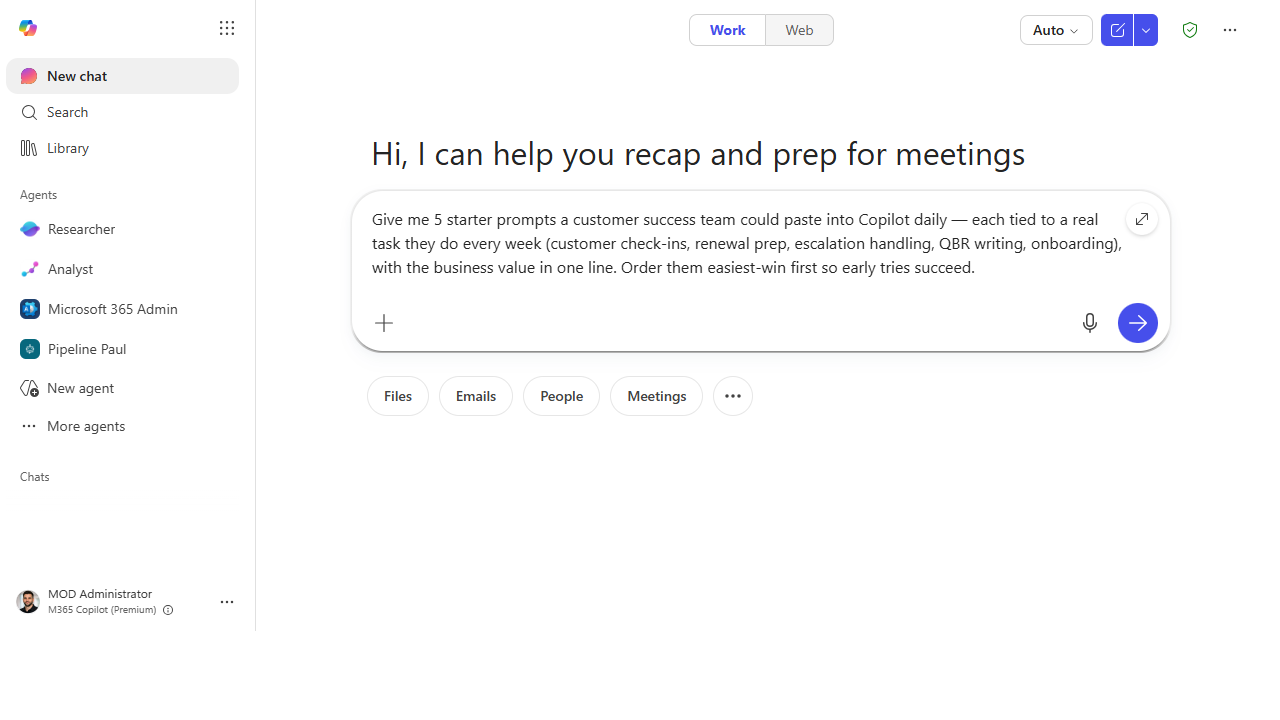 Ask for role-specific, real-task prompts. One line of value each, easiest-win first.
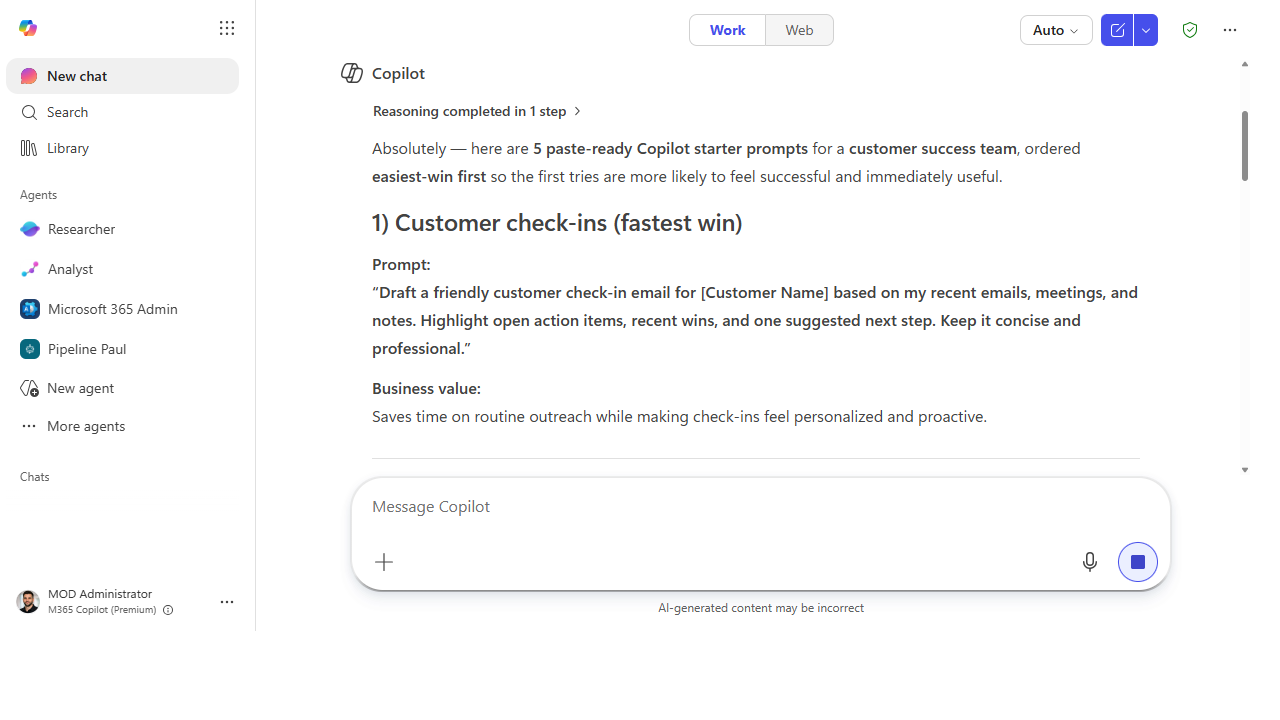 Get a week's worth of drip prompts. Each tied to a real task, with the business value spelled out.
Make it better
The drip compounds when you turn it into a system: - Pull from the Prompt Gallery. Don't write every prompt from scratch — Microsoft's gallery is a bottomless source of role-tested starters you can adapt in seconds. - Theme the week. "Email week," "meeting week," "research week" — clustering related prompts builds a capability instead of scattering one-offs. - Let the value data steer it. Pair this with Workforce insights: where your team is underusing Copilot is exactly where next week's prompts should aim.
📚 Learn more. The Copilot Prompt Gallery (adoption guide) and the in-product Prompt Gallery are your bottomless source of role-tested prompts, and the Copilot Success Kit has champion-ready enablement templates for running rituals like this.
Watch out for
- Consistency beats cleverness. A mediocre prompt posted every day builds more habit than a brilliant one posted sporadically. Protect the cadence above all.
- Generic prompts get ignored. "Summarize a document" is a yawn; "summarize the weekly pipeline report for your 1:1" gets tried. Specific to their work, every time.
- Don't mandate — entice. The moment it feels like a compliance task it dies. Keep it opt-in, useful, and celebratory, and people pull it toward themselves.
Where this leads (the ramp)
Once the daily Copilot habit is real, your team stops asking "what can it do?" and starts asking "what else can it do?" That curiosity is the on-ramp to Stage 2 · First-Party Agents — the prebuilt agents already in their license that do more than a single prompt ever could.
Next: First-Party → The first-party agents included with your M365 Copilot license
Related
- Copilot Chat → Turn a meeting into tracked follow-ups — the flagship first win to drip
- First-Party → Find where Copilot is landing with Workforce insights — data to steer the drip
- Stage 1 Resources: see
RESOURCES.md→ Copilot Chat
Thanks — glad it helped. Spotted something to improve anyway? Suggest it →
Sorry this didn't land. Tell us what broke → so we can fix that rung of the ramp.
Found an issue or want to suggest an improvement? Open a GitHub issue · Star on GitHub