Pilot your agent with a team and gather feedback
Your first agent is never right on day one — it's right after five people use it and tell you where it's wrong. A small, structured pilot turns a private guess into a tested, trusted tool the whole team will actually adopt.
Stage: Agent Builder · For: Champion, IT/Admin · Level: Intermediate · Time: 15 min
When to use this
You built a declarative agent — grounded on a SharePoint site, with a persona and starter prompts — and it works for you. That's the trap. The questions you ask aren't the questions a new hire asks, and the gaps you can't see are exactly the ones that make someone abandon it after one bad answer. A structured pilot closes that gap: hand it to a handful of real users, watch where it stumbles, and iterate the instructions before you roll it out wide. Five pilots for a week beats a big-bang launch every time.
This is a champion's de-risking move. You're not shipping an agent — you're shipping a tested one.
What you'll need
- An agent you've built in Agent Builder and the rights to share it with a small group
- 3–5 willing pilots who do the real work the agent is meant to help with — not other champions
- A lightweight way to collect feedback (a Teams channel, a shared doc, or a 3-question form)
Try it now — the prompt
Have Copilot draft the pilot invite so you launch in minutes, not hours:
Draft a short, friendly message inviting 5 colleagues to pilot our new
[onboarding] agent for one week. Tell them what it does, give 2 example
questions to try, and ask for 3 things: what worked, what was wrong, and
what was missing. Keep it under 120 words.
Why this works: it sets a clear scope (one week, five people), gives pilots an on-ramp (example questions so they don't face a blank box), and asks for structured feedback in three buckets — worked, wrong, missing. Unstructured "let me know what you think" gets you silence; three named buckets get you a punch list you can act on.
Step by step
- Share with a small, real group. Pick pilots who'll actually use it for their work, then share the agent to just them. Small and real beats big and curious.
- Send the invite with example questions. Lead with two things to try. A pilot who gets a good answer in the first minute keeps going; one who guesses wrong gives up.
- Collect feedback in three buckets. Worked / wrong / missing. Funnel it to one place so patterns are visible — three people hitting the same gap is your top fix.
- Turn the feedback into agent changes:
Screenshots
Captured live in Microsoft 365 Copilot (Work mode). The product UI moves fast — if what you see differs, trust the numbered steps above, which we keep current.
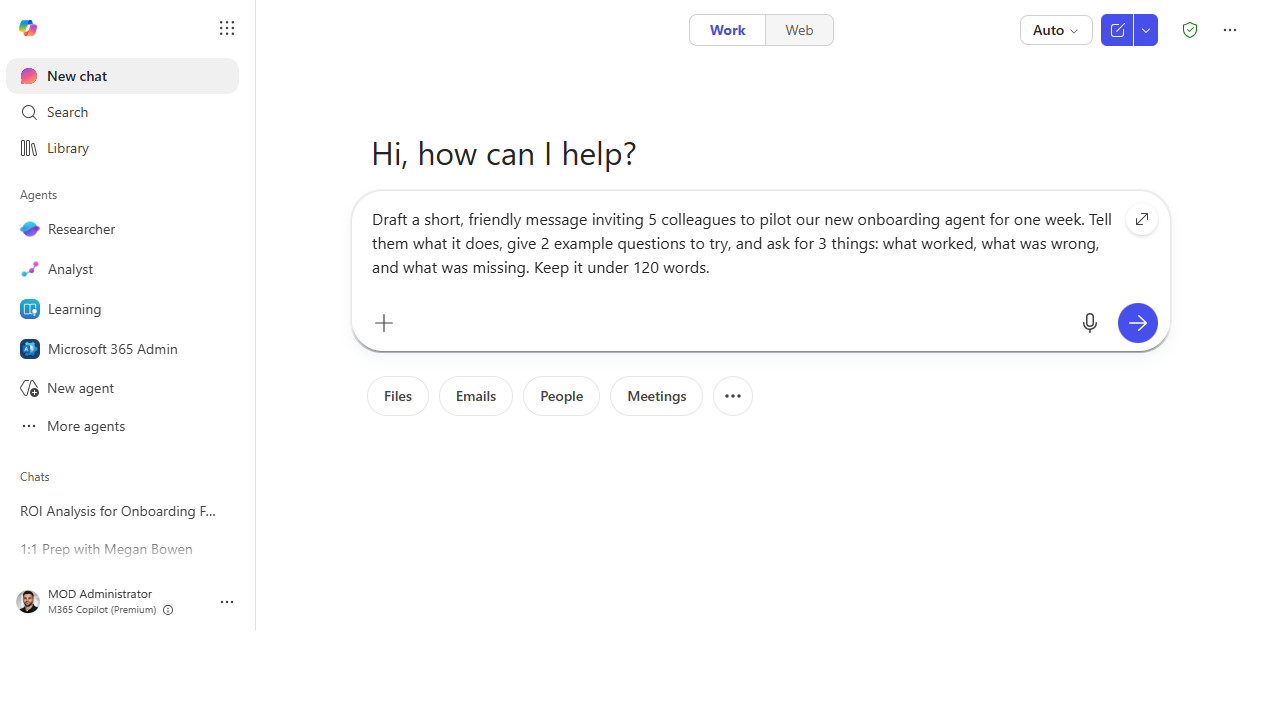 Ask Copilot to draft the pilot invite — clear scope, example questions, and feedback in three named buckets.
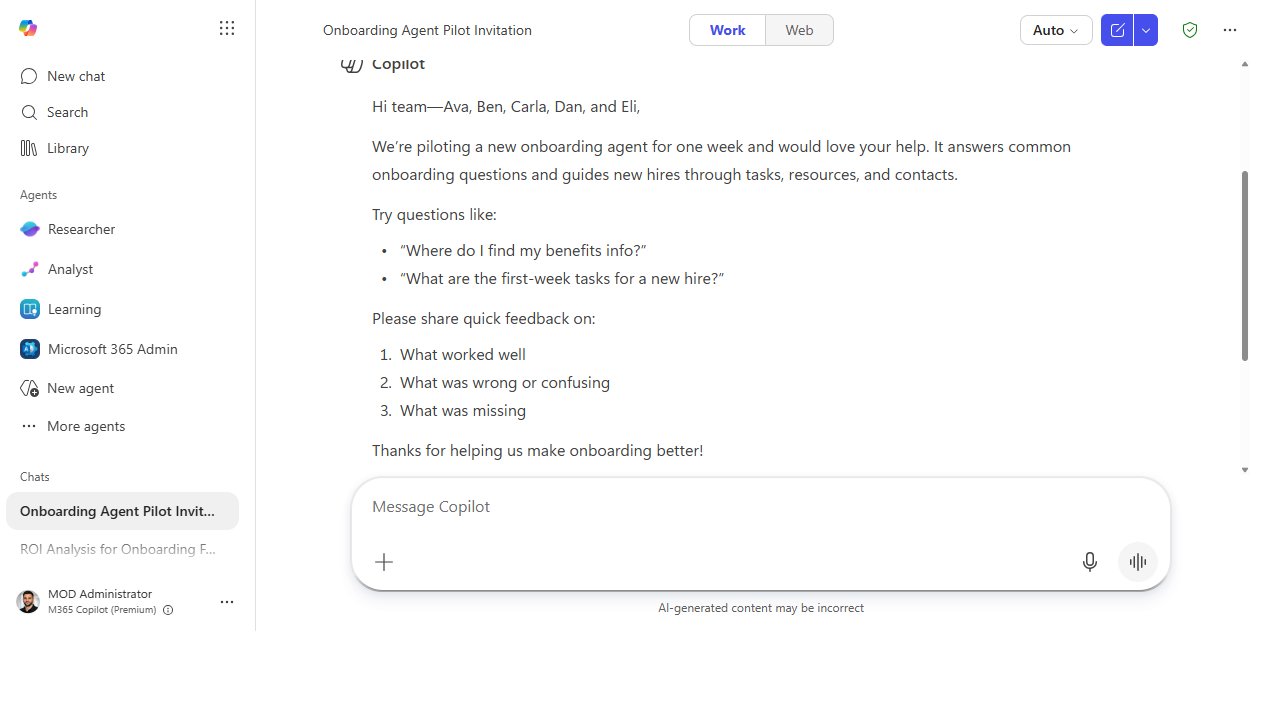 The draft gives pilots an on-ramp (two questions to try) and asks for structured feedback — what worked, what was wrong, what was missing — so you get a punch list instead of silence.
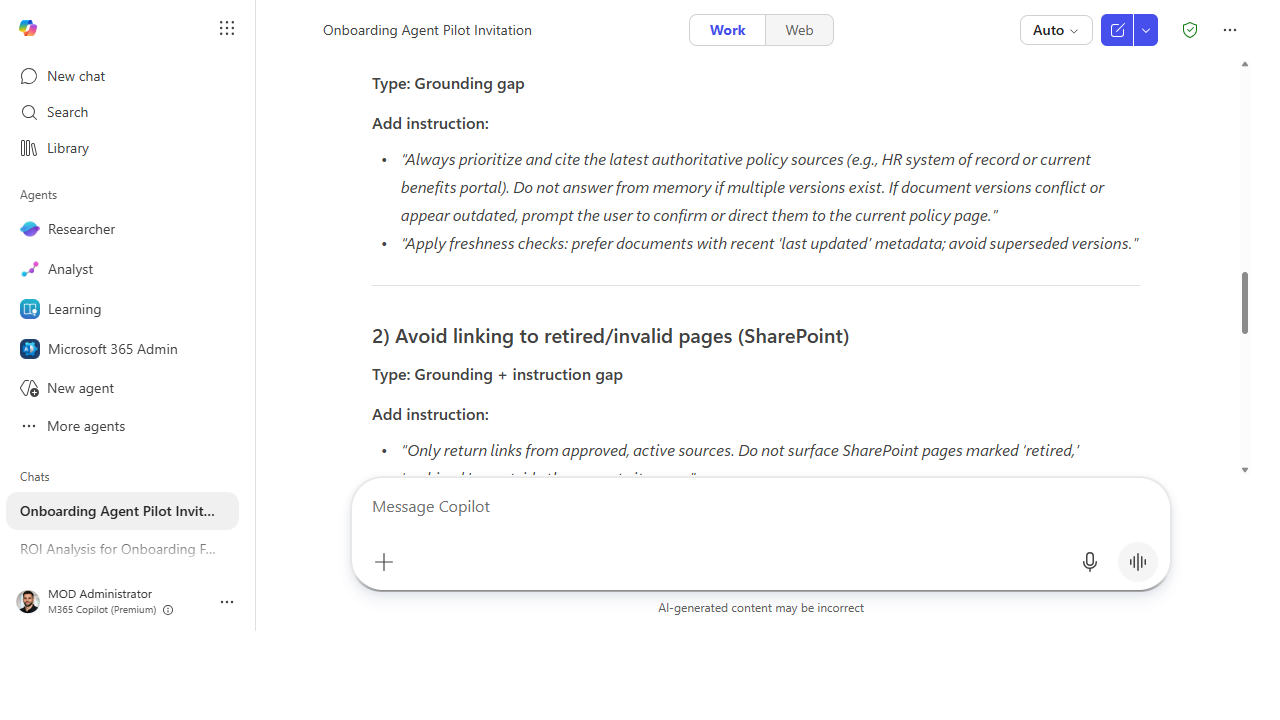 Feed the grouped feedback back in and Copilot returns specific instruction changes — and tells you which were grounding gaps versus instruction gaps, so you fix the right layer.
Make it better
A pilot is a loop, not a one-shot: - Iterate in tight cycles. Make the top 3 fixes, tell pilots what changed, and let them re-test. Two fast rounds build more trust than one slow perfect launch. - Start from a proven template. Rather than build the pilot agent from zero, adapt one from the Agent Library — a tested starting point means fewer "wrong" reports and a faster path to "good." - Graduate the winners. An agent that survives a pilot and gets daily use is your candidate to widen to the whole team — and, when it outgrows declarative limits, to rebuild in Copilot Studio.
📚 Learn more. The Agent Library gives you production-ready templates to pilot instead of building from scratch, and the Copilot Success Kit has champion-ready enablement templates for running a structured rollout.
Watch out for
- The wrong pilots tell you nothing. Other champions are too forgiving and too clever. Pick people who do the actual job — their confusion is the signal you need.
- Silence isn't approval. No feedback usually means no usage, not a perfect agent. If the buckets come back empty, the agent isn't being tried — fix adoption before you fix instructions.
- Don't over-fix. Chase the gaps three people hit, not the one-off edge case from a single pilot. Patterns earn changes; outliers earn a note for later.
Where this leads (the ramp)
A pilot doesn't just improve the agent — it tells you where the ceiling is. The fixes your pilots ask for that Agent Builder can't deliver — calling a system, running a multi-step flow, richer logic — are the exact signal you've outgrown declarative building. That's the bridge to Stage 6 · Copilot Studio: know when to graduate.
Next: Agent Builder → Decide: declarative agent vs. full Copilot Studio
Related
- Agent Builder → Build a "team knowledge" agent over a SharePoint site — the agent you're piloting
- Agent Builder → Give your agent a focused persona and instructions — what you'll iterate on from feedback
- Stage 4 Resources: see
RESOURCES.md→ Agent Builder
Thanks — glad it helped. Spotted something to improve anyway? Suggest it →
Sorry this didn't land. Tell us what broke → so we can fix that rung of the ramp.
Found an issue or want to suggest an improvement? Open a GitHub issue · Star on GitHub