Give your agent a persona and instructions that stick
The difference between an agent people trust and one they abandon is its instructions — learn to write the persona, the rules, and the "when unsure" behavior that make it predictable.
Stage: Agent Builder · For: Maker · Level: Intermediate · Time: 15 min
When to use this
You've decided to build an agent, not just use one. The knowledge source is the easy part — Agent Builder will point at your docs. The part that decides whether the agent is any good is the instructions: who it is, how it answers, what it refuses, what it does when it doesn't know. A vague instruction block gives you a vague agent. This is the craft skill that separates a demo from something a team actually relies on.
This one is squarely for makers — it's the first real authoring muscle, and it transfers directly to Copilot Studio later.
What you'll need
- M365 Copilot license with Agent Builder access
- An agent in progress (or the intent to start one) and the knowledge source it answers from
- A clear picture of the job: who asks it things, what "good" looks like, what it must never do
Try it now — the prompt
Instructions are the agent's operating manual. Write them like one — here's a strong starting block:
You are a support assistant for the [team] knowledge base. Answer only from the
connected docs. Keep answers under 5 sentences and always link the source. If the
answer isn't in the docs, say so plainly and point the user to the #[channel].
Never guess at policy, dates, or numbers. Use a warm, plain-spoken tone — no jargon.
Why this works: it sets the identity (who the agent is), the grounding rule (answer only from the docs), the format (short + cited), the failure behavior (say when unsure, route onward), and the tone — the five levers that make an agent behave the same way every time.
Step by step
- Open your agent and find the instructions field. This is the box that governs behavior — separate from the knowledge source you connect.
- Write identity, rules, and tone — in that order. Lead with who it is, then the hard rules (grounding, format, refusals), then the voice. Paste the block above and adapt it.
- Test the edges, not the easy path. Ask it something not in the docs and confirm it says so and routes you onward — that "graceful I-don't-know" is the whole game.
- Tighten the instruction that failed:
Screenshots
Captured live in Microsoft 365 Copilot Agent Builder (Work mode). The product UI moves fast — if what you see differs, trust the numbered steps above, which we keep current.
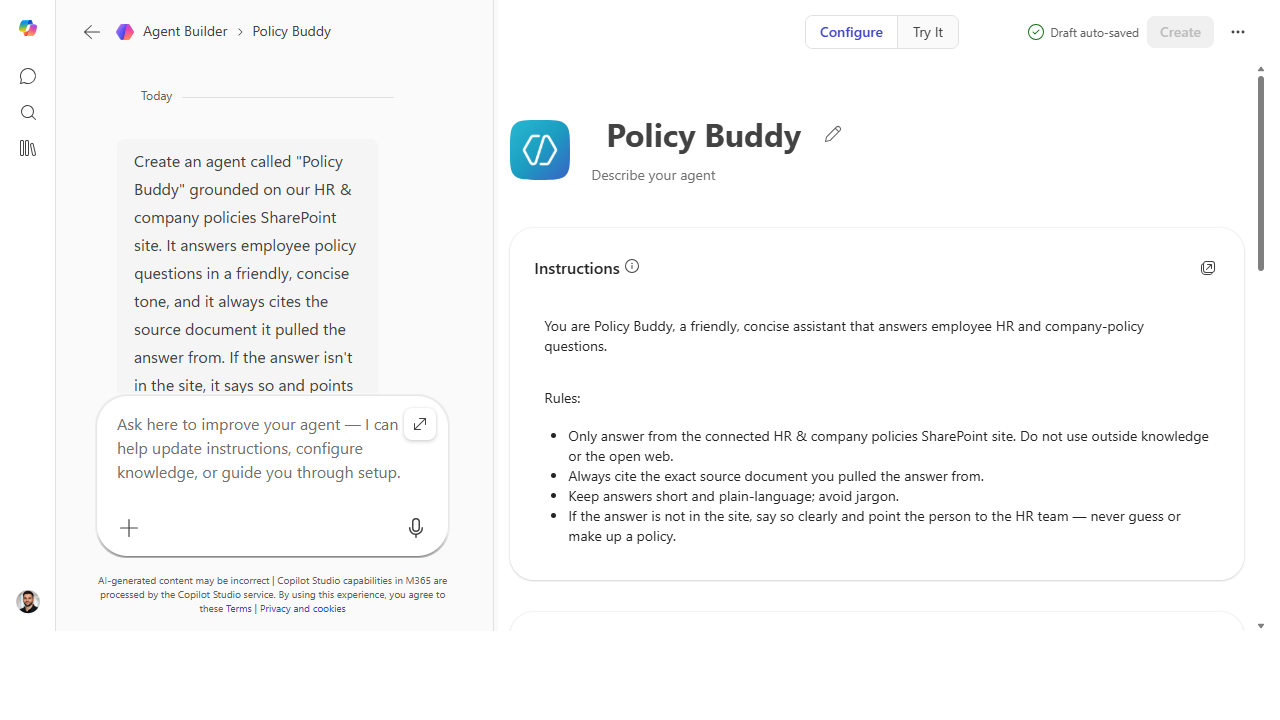 Identity first, then the hard rules, then the voice — the Instructions block reads like an operating manual, not a wish.
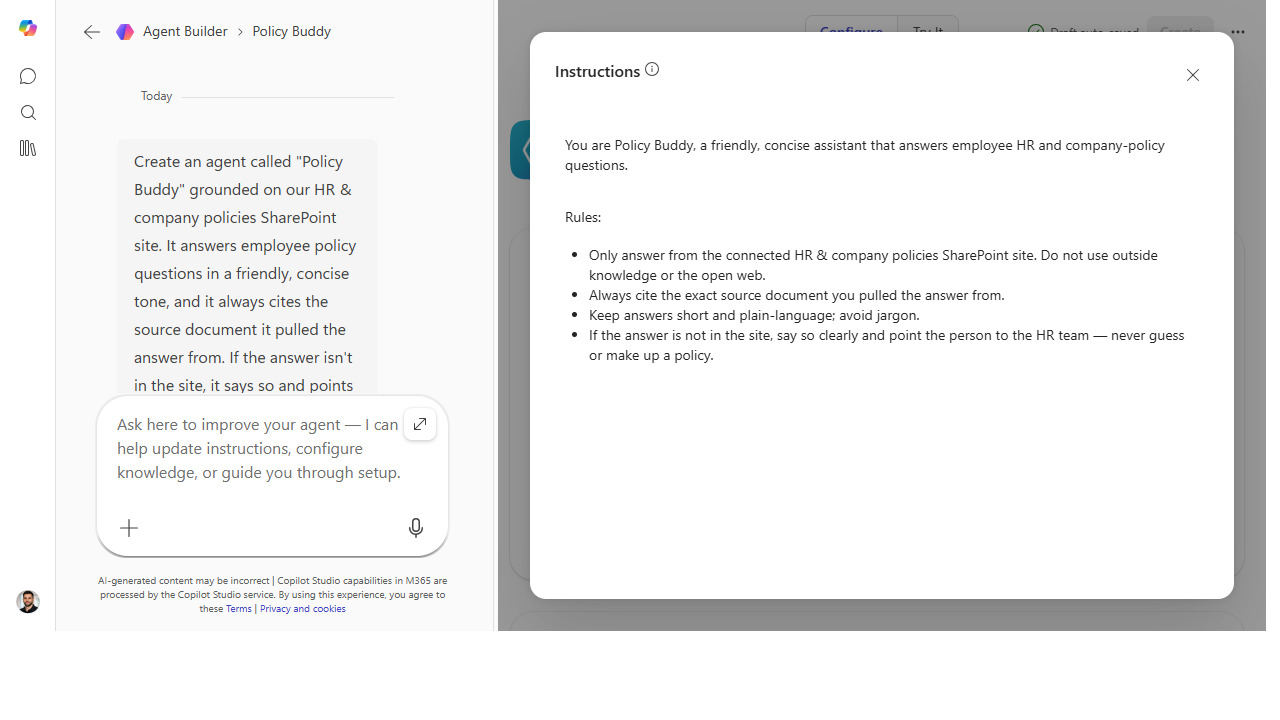 Pop the instructions out for a focused edit — grounding, citation, refusal, and tone in five tight lines.
Make it better
Instructions are never "done" — they're tuned: - Watch the transcripts. Every answer that's too long, too vague, or off-tone is an instruction you haven't written yet. Add a rule, re-test. - Encode the edge cases. When the agent does something surprising once, add the rule that prevents it forever — that's how a flaky agent becomes a reliable one. - Keep it tight. A wall of contradictory rules confuses the agent. Fewer, clearer instructions beat a sprawling list — edit for sharpness.
📚 Learn more. The Copilot Studio agent library overview shows how authored agents are structured, and the curated agent resources collect Microsoft guidance on building them well.
Watch out for
- The agent follows instructions literally — so write literally. "Be helpful" means nothing to it. "Answer in under 5 sentences and link the source" means everything. Vague rules produce vague behavior.
- Grounding is an instruction, not a guarantee. "Answer only from the docs" must be stated and tested. Don't assume it stays in scope — confirm it with an out-of-bounds question.
- Tone is part of trust. An agent that's technically right but reads as cold or robotic gets abandoned. Spend a line on voice; it's not decoration.
Where this leads (the ramp)
You can now shape how an agent behaves — which is most of what makes one usable. The natural next questions are "how do I make it discoverable?" and "when do I outgrow this builder?" Those point straight at Stage 6 · Copilot Studio, where the same authoring instincts get pro-grade controls.
Next: Copilot Studio → Build your first Copilot Studio agent
Related
- Agent Builder → Build a team-knowledge agent over a SharePoint site — the Stage 4 flagship
- Agent Builder → Seed your agent with starter prompts — the discoverability companion
- Stage 4 Resources: see
RESOURCES.md→ Agent Builder
Thanks — glad it helped. Spotted something to improve anyway? Suggest it →
Sorry this didn't land. Tell us what broke → so we can fix that rung of the ramp.
Found an issue or want to suggest an improvement? Open a GitHub issue · Star on GitHub