Synthesize many documents into one brief
Point Cowork at a stack of documents and get back one coherent brief — the throughline, the conflicts, the gaps — instead of reading all of them yourself and hoping you held it in your head.
Stage: Cowork · For: Maker, Manager · Level: Intermediate · Time: 15 min
When to use this
Five docs say overlapping things. A SharePoint folder, a few email threads, a couple of reports — and you need one answer that reconciles them. Reading them all is hours; holding the contradictions in your head is impossible. Cowork does the synthesis job end to end: it reads across the set, finds the common thread, surfaces where the sources disagree, and hands you a single brief you can actually act on.
For managers this is the "give me the truth across all of this" button; for makers it's a preview of the reasoning an agent will do for you on a schedule once you build one.
What you'll need
- M365 Copilot license with Cowork access
- The document set — files, threads, or a folder; the more they overlap, the more synthesis earns its keep
- The question you actually need answered, so Cowork synthesizes toward a decision
Try it now — the prompt
Point Cowork at the set and tell it what the brief is for:
Read all of these and write me one brief: what they agree on, where they conflict,
and what's missing. Lead with a 3-sentence bottom line, then the supporting detail,
and cite which source each claim came from. Flag anything where the sources
disagree so I know what to dig into.
Why this works: it names the job (synthesize, don't summarize each), the structure (bottom-line- first), a traceability requirement (cite the source per claim), and asks Cowork to surface conflicts — which is the part you can't get from reading any single doc.
Step by step
- Give Cowork the full set and send the prompt. It reads across every source and works the synthesis as one multi-step job, not a doc-by-doc summary.
- Read the bottom line first, then the conflicts. The three-sentence top is the answer; the conflict flags are where you decide what still needs a human.
- Trace the claims that matter. For any load-bearing statement, follow the citation back to the source before you rely on it. Synthesis is only as good as its grounding.
- Tighten it for how you'll use it:
Screenshots
Captured live in Microsoft 365 Copilot (Work mode). The product UI moves fast — if what you see differs, trust the numbered steps above, which we keep current.
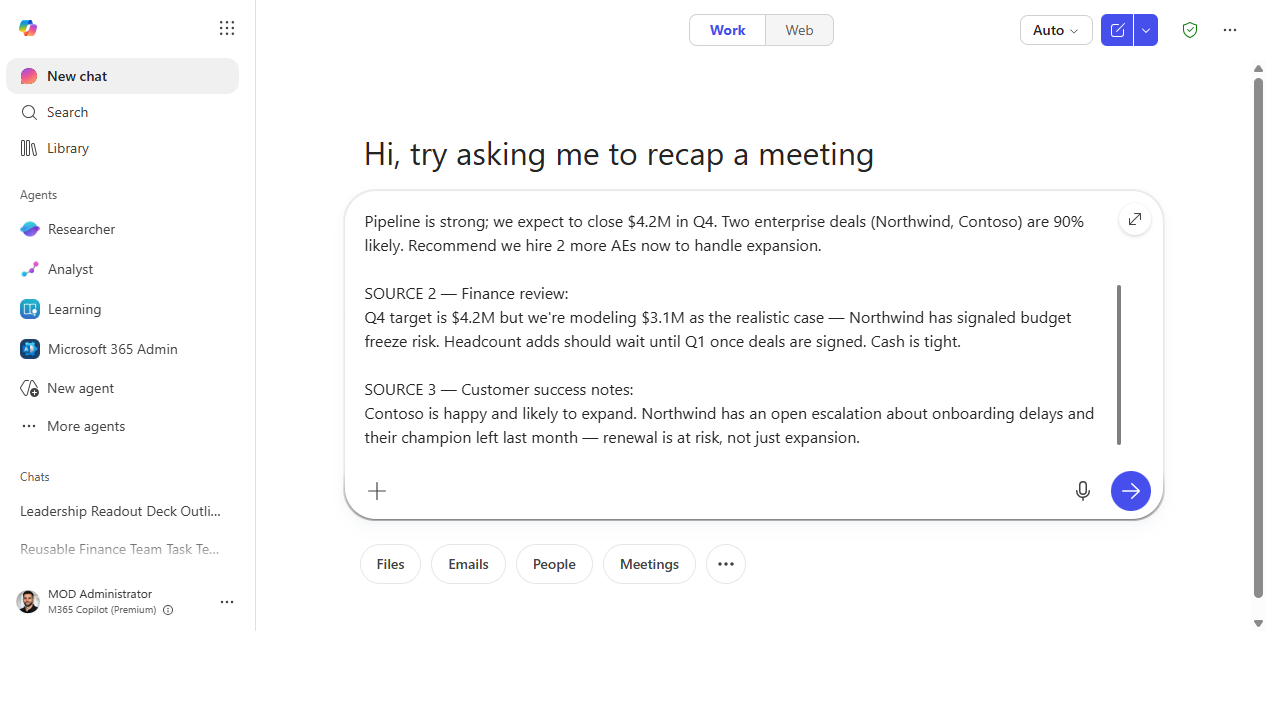 Paste the full set of sources and tell Cowork what the brief is for — bottom-line-first, cited per claim, with conflicts flagged.
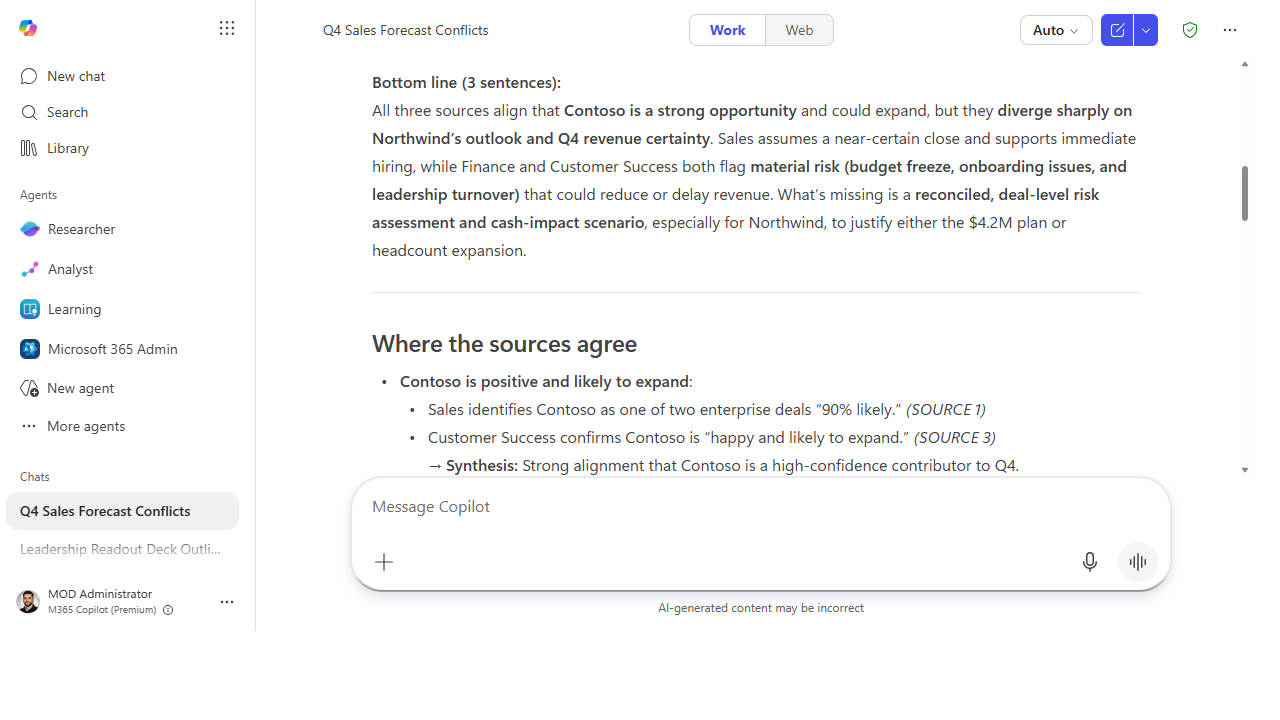 The brief leads with a three-sentence bottom line, then lays out where the sources agree — each point cited back to its source.
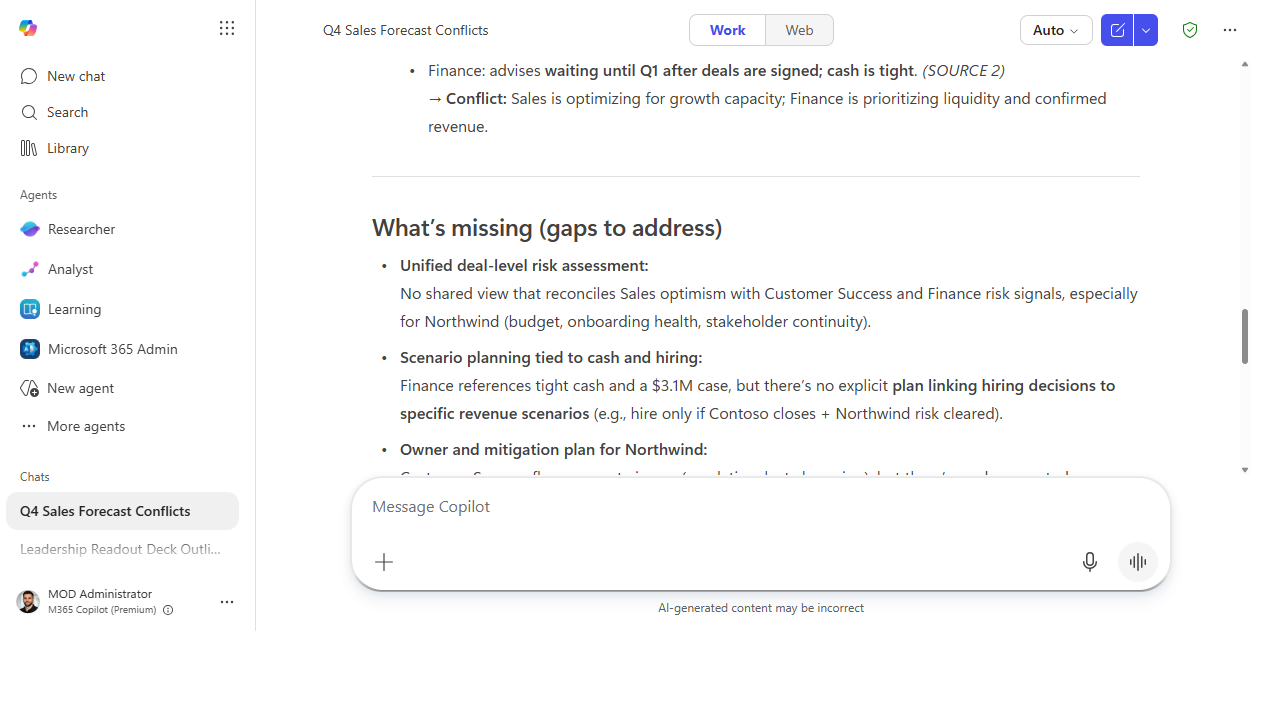 Then it surfaces exactly where the sources conflict and what's missing — the part you can't get from reading any single document.
Make it better
Synthesis is a starting point, not an endpoint: - Aim it at a decision. "Based on all of this, what would you recommend and why?" — then pressure-test the recommendation against the conflicts it found. - Make it repeatable. "Every Monday, re-run this over the latest versions and tell me only what changed." You've just described an agent's job. - Widen the aperture. Add a competitor report or an external source and ask it to reconcile internal and outside views into one picture.
📚 Learn more. The M365 Copilot resources hub covers how Cowork handles multi-source work across the Copilot experience. For a parallel community treatment of delegating end-to-end jobs to Cowork, Sean Galliher's Cowork Cookbook (community-built, unofficial — not a Microsoft resource) is worth a read.
Watch out for
- Synthesis isn't truth — it's a reading. Cowork reconciles what the sources say; if they're all wrong in the same way, the brief inherits that. Treat the bottom line as a strong hypothesis.
- Citations are the safety rail — use them. A synthesized claim with no traceable source is the one to distrust. If you can't follow it back, don't build on it.
- Watch for quiet flattening. When sources conflict, a synthesis can average them into a blandly "balanced" line that hides a real disagreement. The conflict flags exist so that doesn't happen — read them.
Where this leads (the ramp)
You've now had Cowork do the reasoning across a whole document set — and you probably noticed you'd want this same job run on a schedule, over a known set of sources, without re-explaining it each time. That standing, source-scoped reasoner is exactly what you build next: Stage 4 · Agent Builder.
Next: Agent Builder → Build a team-knowledge agent over a SharePoint site
Related
- Cowork → Hand off an end-to-end task to Cowork — the Stage 3 flagship
- First-Party → Deep-dive a topic with Researcher — the single-agent version of this reasoning
- Stage 3 Resources: see
RESOURCES.md→ Cowork
Thanks — glad it helped. Spotted something to improve anyway? Suggest it →
Sorry this didn't land. Tell us what broke → so we can fix that rung of the ramp.
Found an issue or want to suggest an improvement? Open a GitHub issue · Star on GitHub